![⚾️ Tennis Party (Tennis Minigame) ✨ [1.8 - 26.2] ⚾️ icon](/media?path=resource-icons%2FybLrluvq1xLB5EWh3NisIwldAXha3W51O3Dx6qqD.png)
![⚾️ Tennis Party (Tennis Minigame) ✨ [1.8 - 26.2] ⚾️ cover](/media?path=resource-covers%2F3UvrBWqoICtIimZoNVv23lj25UGeGaShnQtMhGYK.png)
Description
The game is played as follows:
You begin on a court, aiming to hit the ball over the net and into your opponent's side of the court. Position yourself carefully, as the ball travels in the direction you're facing. Your goal is to score points by hitting the ball where your opponent cannot return it, all while keeping an eye on the speed and timing of your shots.
TEST SERVER: testing.mipcraft.eu (157.90.137.69:22022)
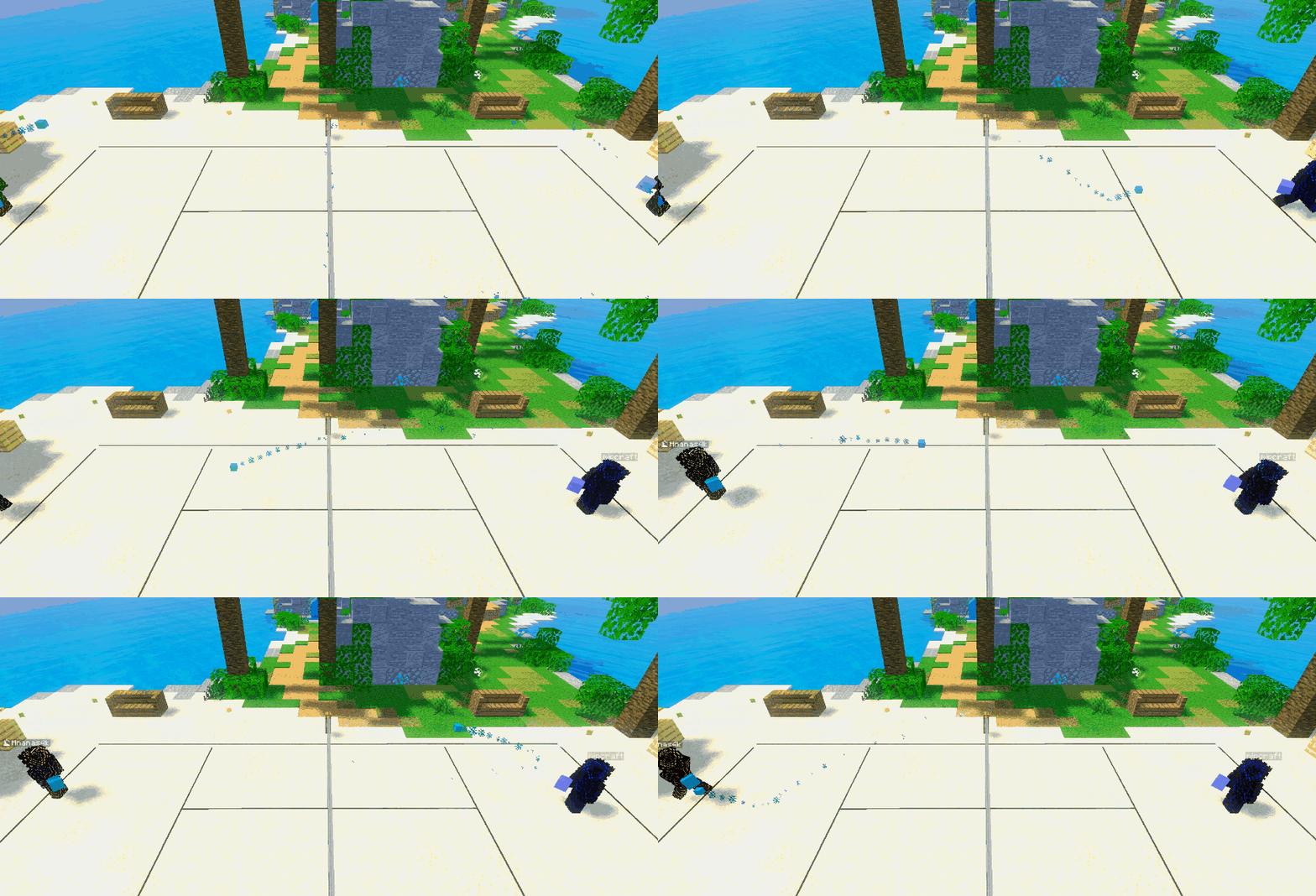
Features:
The plugin is highly configurable, allowing you to customize nearly every aspect. Some notable features of this game mode include:
- Design Your Own Courts: Unleash your creativity by designing personalized courts.
- Music Integration: Enhance the gaming experience by adding music through NBS files.
- Per-server/Multi-arena: Set one game per server (BungeeCord) or multiple games per server.
- MySql Support: Keep track of win streaks with efficient MySql integration.
- PlaceholderAPI Support: Enjoy compatibility with PlaceholderAPI for streamlined integration.
- Custom Models: Immerse players with support for custom models.
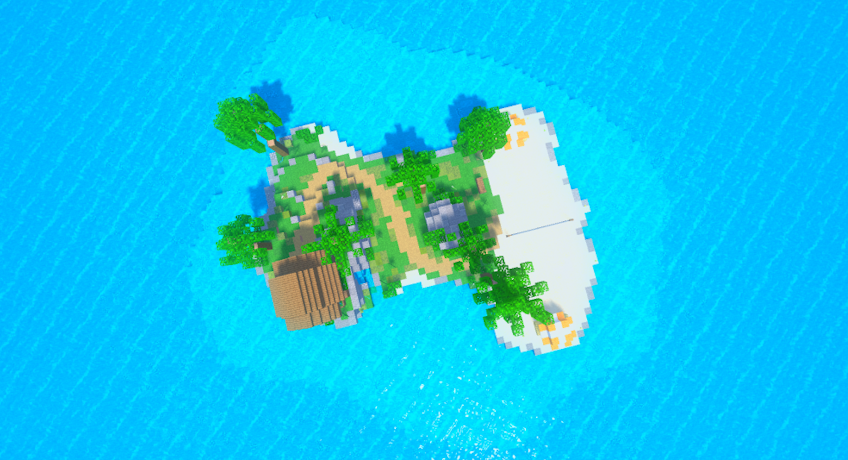 (You can get the map on the picture here: Tennis Party Default Map)
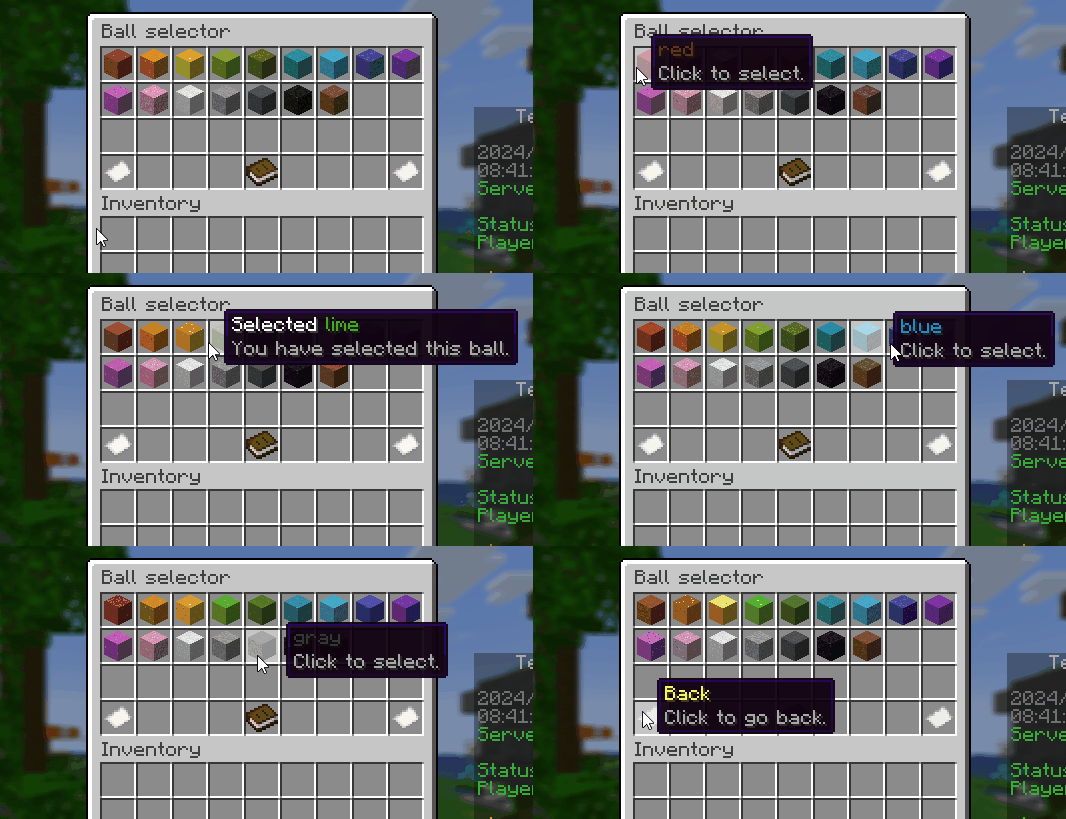
Setup:
- Get the plugin and put it in the plugins folder. Start the server and let the plugin generate the folders.
- Feel free to modify any settings in the configuration file as you see fit. Afterward, restart the server, and you'll be able to join with your new changes.
- For both the multi-games per server and single game on the server mode, you'll want to create at least one game. You can do so with the "/tnp create [game_name]" command.
- Set up the game. Your inventory will now have tools. 4.1. First, set the lobby location (waiting location before the game starts). 4.2. Next, set up the court by selecting the outer boundary, followed by the middle point where the net ends. Then, select the center of the player’s court area. Remember, you're only setting up one side, as both sides are identical but mirrored. 4.3. Next, you can set the display part by setting the settings for different materials, this is optional. 4.4. When you're done, save the game by clicking on the save item.
- Enjoy!
Setup video: https://www.youtube.com/watch?v=em-46dROrNU
Adding your own music: For music, you'll need to download an additional plugin [NoteBlockAPI] Restart the server and you'll get a folder in TennisParty called music, where you drop in the NBS files. You'll need a Note Block Studio. If you want to see where to get those files you can watch this video: https://www.youtube.com/watch?v=OyVWFB53cYo
When you have a song in Note Block Studio just export it as NBS.
Commands:
/tnp join - Join the best game. /tnp join [name] - Join the game. /tnp leave - Leave game. /tnp create [game_name] - Create a new game. /tnp edit [game_name] - Edit a game. /tnp remove tool - Gets you a remove display tool.
PlaceholderAPI:
Player stats:
- %tennisparty_player_uuid%
- %tennisparty_player_name%
- %tennisparty_player_games-played%
- %tennisparty_player_win-streak%
- %tennisparty_player_wins%
- %tennisparty_player_score%
- %tennisparty_player_placement%
Game stats:
- %tennisparty_game-count_<game_name>%
- %tennisparty_game-state_<game_name>%
Top stats:
Structure of top placeholders: %tennisparty_top_games-played_1_name%
tennisparty_top_ - is always the same. games-played_ - can be (games-played, win-streak, wins or score) - represents top 10 category. 1_ - is a placement number which can be from 1 .. 10. name - this part can be (uuid, name, games-played, win-streak, wins, score or placement) - data of the player in this placement of the top 10 category.
Examples:
- %tennisparty_top_games-played_5_name%
- %tennisparty_top_win-streak_10_score%
- %tennisparty_top_wins_1_win-streak%
- %tennisparty_top_score_3_name%
Config:
# TENNIS PARTY
# CREATED BY ALANDIODA
# VERSION 1.6.0

# Configuration with MY_VERSION
# SPIGOT_MATERIAL_LINK
# SPIGOT_SOUND_LINK
# SPIGOT_POTIONS_LINK

# MYSQL INFORMATION
mysql:
   enabled: true
   use_local_file: true
   host: localhost
   port: 3306
   database: database
   username: username
   password: password
   tablename: TennisPartyData

# Top 10 update rate (in seconds, 0 = disable)
top_10_update_rate: 300

# Ball materials
#
# Here are default ball blocks which will be used in the game.
#
# The layout of the config is as follows:
# MATERIAL_NAME:
#    color: COLOR_WHICH_THE_BLOCK_REPRESENTS_IN_HEX
#    name: COLOR_DISPLAY_NAME
#    custom_model_data: NUMBER_CUSTOM_MODEL_DATA
#
# For older versions you can add data number to change the variant.
# MATERIAL_NAME-4:
#    color: COLOR_WHICH_THE_BLOCK_REPRESENTS_IN_HEX
#    name: COLOR_DISPLAY_NAME
#    custom_model_data: NUMBER_CUSTOM_MODEL_DATA
#
# If you want a player head use this format:
# SPECIAL_NAME:
#    texture: HEAD_TEXTURE
#    name: COLOR_DISPLAY_NAME
#
balls:
   RED_CONCRETE_POWDER:
      color: 8c2020
      name: red
   ORANGE_CONCRETE_POWDER:
      color: de6101
      name: orange
   YELLOW_CONCRETE_POWDER:
      color: eead15
      name: yellow
   LIME_CONCRETE_POWDER:
      color: 5ca618
      name: lime
   GREEN_CONCRETE_POWDER:
      color: 485a23
      name: green
   CYAN_CONCRETE_POWDER:
      color: 167687
      name: cyan
   LIGHT_BLUE_CONCRETE_POWDER:
      color: 2287c4
      name: blue
   BLUE_CONCRETE_POWDER:
      color: 2b2d8d
      name: blue
   PURPLE_CONCRETE_POWDER:
      color: 631f9a
      name: purple
   MAGENTA_CONCRETE_POWDER:
      color: a72f9d
      name: magenta
   PINK_CONCRETE_POWDER:
      color: d3658e
      name: pink
   WHITE_CONCRETE_POWDER:
      color: ccd2d3
      name: white
   LIGHT_GRAY_CONCRETE_POWDER:
      color: 7b7b71
      name: light gray
   GRAY_CONCRETE_POWDER:
      color: 35383c
      name: gray
   BLACK_CONCRETE_POWDER:
      color: 090b10
      name: black
   BROWN_CONCRETE_POWDER:
      color: 5f3a1f
      name: brown

# Settings
# Admin permission node
permission_admin: TennisParty.admin
# Player permission node
permission_player: ''
# Balls permission node (TennisParty.ball.RED_CONCRETE_POWDER)
permission_ball: TennisParty.ball
# Enable ball permissions
enable_ball_permissions: false

# Default display material
default_display_material: BLUE_STAINED_GLASS_PANE

# Number of wins to win the game
number_of_wins_to_win: 5

# Start with serving (if set to false the serving part of the game is ignored).
start_with_serving: true

# How many times you can try to serve a ball.
serving_attempts_count: 2

# Display where the player needs to get the ball when serving.
display_serving_area: true

# Max wait time in seconds to start the round.
max_time_for_start: 30

# Max game time in seconds.
max_game_time_seconds: 1800

# Preferences
ball:
  # Changes how fast the ball moves (faster is harder and requires better connection).
   physics_time_scale: 0.3
   # Maximum distance between players head and ball to hit it.
   max_player_hit_distance: 2
   gravity: 0.08
   wind_resistance: 0
   # Minimum velocity for bouncing
   bounce_threshold: 0.05
   bounce_factor: 0.75
   max_speed: 10.0
   serve_pitch: 20.0
   hit_pitch: 20.0

# Sounds
sounds:
   ball_collision: ENTITY_SLIME_SQUISH
   ball_racket_hit: ENTITY_PLAYER_ATTACK_SWEEP
   won_point: ENTITY_PLAYER_LEVELUP
   lose_point: ENTITY_WITHER_HURT

# Commands
# you can use <player> when not using player mode ( give <player> gold ).
# as well as <uuid>
win:
   command: 'give <player> minecraft:gold_ingot'
   player: false
lose:
   command: ''
   player: false

# Game mode:
# true = the whole server is for one game.
# false = have a lobby and games in one server.
is_game_per_server: false

# return server
return_server:
   enabled: false
   name: lobby

# Lobby leave item.
# You can replace material with texture.
lobby_leave:
   enabled: true
   slot: 8
   material: RED_BED
   name: "&cLeave"
   lore:
  - "&eClick to leave the lobby."

# Scoreboard settings
scoreboard_enabled: true

# Block commands when in game
block_commands_in_game:
   enabled: true
   not_blocked_permission: TennisParty.admin
   allowed_commands:
  - help

# if is_game_per_server is set to true ignore this
lobby:
   world: world
   x: 0.5
   y: 100.0
   z: 0.5
   yaw: 0.0
   pitch: 0.0
   return_to_lobby_after_game_ends: true

# Game start countdown
countdown_time: 30

# Countdown sound
countdown:
   sound: BLOCK_NOTE_BLOCK_PLING
   play_per_sec: 1

# Ending
# Display effects before the game ends
win_celebration_seconds: 10

# After the game ends restart the server
when_ends_shutdown: false

# Effects
effects:
   enable_players_vanishing: true
   balls: true
   end:
      fireworks:
         enabled: true
         color: ff1778

# Ball selector
selector:
   enabled: true
   selector_item:
      slot: 0
      material: MAGMA_CREAM
      name: "&eSelector"
      lore:
     - "&7Left click to reset."
      - "&7Right click to open."
   title: "Ball selector"
   rows: 4
   back:
      material: PAPER
      name: "&eBack"
      lore:
     - "&7Click to go back."
   next:
      material: PAPER
      name: "&eNext"
      lore:
     - "&7Click to go to"
      - "&7the next page."
   page:
      material: BOOK
      name: "&e<page>"
   item:
      not_selected:
         name: "<color><name>"
         lore:
        - "&7Click to select."
      selected:
         name: "&fSelected <color><name>"
         lore:
        - "&7You have selected this ball."
      taken:
         name: "&c&lTaken <name>"
         lore:
        - "&7This ball is taken!"
      no_permission:
         name: "&c&lUnavailable <name>"
         lore:
        - "&7This is not available for you!"

# Formats
formats:
   commands:
      no_games_for_player: '&8[&aTennisParty&8] &cThere is no games you can join!'
      already_in_game: '&8[&aTennisParty&8] &cYou are already in a game!'
      not_in_game: '&8[&aTennisParty&8] &cYou are not in a game!'
      game_not_exist: '&8[&aTennisParty&8] &cA game with this name does not exist!'
      game_already_playing: '&8[&aTennisParty&8] &cThe game is already running!'
      help:
     - "&8&m                                                                               &a"
      - "    &e&lHelp &r&e- &aTennis Party"
      - ""
      - "&e/tnp join &8- &7Join the best game."
      - "&e/tnp join [name] &8- &7Join the game."
      - "&e/tnp leave &8- &7Leave game."
      - ""
      - "&8&m                                                                               &a"
      help_admin:
     - "&8&m                                                                               &a"
      - "    &e&lHelp &r&e- &aTennis Party Admin"
      - ""
      - "&e/tnp join &8- &7Join the best game."
      - "&e/tnp join [name] &8- &7Join the game."
      - "&e/tnp leave &8- &7Leave game."
      - "&e/tnp reload &8- &7Reload the config."
      - "&e/tnp create [name] &8- &7Create a new game."
      - "&e/tnp edit [name] &8- &7Edit a game."
      - "&e/tnp remove tool &8- &7Gets you a remove display tool."
      - "&eset display material <spigot_material> &8- &7To set the display material."
      - ""
      - "&8&m                                                                               &a"
   selector:
      reset: "&8[&aTennisParty&8] &fBall selection reset!"
      set: "&8[&aTennisParty&8] &fBall <name> set!"
      already_set: "&8[&aTennisParty&8] &fBall <name> already set!"
      no_permission: "&8[&aTennisParty&8] &cYou can't select this ball!"
      taken: "&8[&aTennisParty&8] &fBall is already taken!"
   connection:
      join: '&8[&aTennisParty&8] &fPlayer &a<player_name> &fhas joined the game! &8[&a<count_players>&8/&a<count_max>&8]'
      leave: '&8[&aTennisParty&8] &fPlayer &a<player_name> &fhas left the game! &8[&a<count_players>&8/&a<count_max>&8]'
      everyone_left:
         title:
            head: '&cEveryone left!'
            sub: '&cStopping the game!'
         chat: '&8[&aTennisParty&8] &cGame ended due to everyone leaving the game!'
      rules:
         lines:
        - "&8&m                                                                               &a"
         - ""
         - "&aRULES:"
         - "&7Tennis Party is a game where players aim to hit the ball into"
         - "&7their opponent's side of the court and score points."
         - "&cWhen returning the ball, you don’t need to hit it. Just be within"
         - "&c2 blocks of the ball and look in the direction you want it to go."
         - ""
         - "&8&m                                                                               &a"
   display:
      powers:
     - "&aPower 1"
      - "&aPower 2"
      - "&aPower 3"
      - "&aPower 4"
      - "&aPower 5"
      - "&aPower 6"
      - "&aPower 7"
      - "&aPower 8"
      - "&aPower 9"
   countdown:
      chat:
         format: '&8[&aTennisParty&8] &fStarting in &a<time>&f!'
         display_per_sec: 1
      title:
         format: '&fStarting in &a<time>'
         sub: '&aThe game will start soon!'
         display_per_sec: 1
   winning:
      title:
         format: '&a&l<name> &f&lhas won!'
         sub: ''
   win_display:
      chat:
     - '&e&l<num_1_name> &f&lhas won the game!'
      - ''
      - '----------------------------'
      - '&6&l1st &f<num_1_name>'
      - '&6&l2nd &f<num_2_name>'
      - '----------------------------'
   game:
      waiting_for_player_to_serve:
         chat: "&8[&aTennisParty&8] &fNext it's <player>'s turn."
         toolbar: "&fWaiting for &a<player> &fto start &7(&a<seconds>&7)&f!"
      block_command: "&8[&aTennisParty&8] &cYou can't execute this command while in game!"
      chat:
         enabled: true
         waiting: '&7<player_name>: &f<message>'
         playing: '&7<player_name>: &f<message>'
         spectating: '&8[SPEC] &7<player_name>: <message>'

# Status display
status:
# This will be shown on waiting scoreboards <lobby_status>
   gamestate:
      WAITING: Waiting
      STARTING: Starting
      PLAYING: Playing
      ENDING: Ending

# Scoreboards
scoreboard:
   waiting:
      title: Tennis Party
      lines:
     - ''
      - '&7<date>'
      - '&7<time>'
      - '&aServer: &fserver_id'
      - ''
      - '&aStatus: &f<lobby_status>'
      - '&aPlayers: &f<count_players>&7/&f<count_max>'
      - ''
      - '&eplay.myserver.net'
   playing:
      title: Tennis Party
      lines:
     - ''
      - '&aTime: &f<game_time>'
      - '&aRound: &f<game_round>'
      - ''
      - '&a<name_me>'
      - '&e<score_me>'
      - ''
      - '&a<name_other>'
      - '&e<score_other>'
      - ''
      - '&eplay.myserver.net'
Compatibility
- GameMinecraft
- CategoryPlugins
- Open SourceNo
- DRM-freeYes
- UnobfuscatedYes
Filtering
- TypeMinigame
- Game ModesMinigame
- Supported SoftwareSpigot, Paper, Purpur
- Supported Versions26.1, 1.21, 1.20, 1.19, 1.18, 1.17, 1.16, 1.15, 1.14, 1.13, 1.12, 1.11, 1.10, 1.9, 1.8
- Supported LanguagesEnglish
Extras
- DependenciesNone
- Links Discord
What Buyers Are Saying
Recent buyer feedback, with the full discussion and all reviews available in the dedicated tab.
No reviews yet. Be the first to leave one from the Reviews tab.
Go To ReviewsVersion History
Current package: TennisParty_1.22.0.jar · 240.1 KB · uploaded May 06, 2026
Latest version.
Reviews
Real user reviews for this resource.
Log in and own this resource to leave a review.
No reviews yet.
Discussion
Public questions, support notes and creator replies.
Log in to join the discussion.
No discussion messages yet.